Showing posts with label Thursday Craft 'n Chat. Show all posts

Thursday, August 16, 2012

Thursday Craft 'n Chat - Scrapping On the Go

Good morning. My name is Tiare aka Classygirl and I am coming to you from the blog, iClassygirl.com!  I am very happy to be here today and to share this project with the Made Especially for You Blog Readers.

Today, I'd like to share a very simple technique I enjoy using to keep me organized and keep me creating at home or on the go.  It's a little something I like to call AnyTime, AnyWhere Scrapbooking.  It allows me to get may pages done quickly, easily and beautifully. I'll sum it up for you in three words: "page kits and sketches."

It's simple. I shop. I organize my supplies into page kits.  I grab my book of sketches. I grab a kit.  I create.  At any given time I have at least 20 pages kits put together and I'm ready to go!  Ask me to crop and I'm there!

What is a page kit you ask?  And how do I put one together?

Here is a page kit...it includes card stock, matching patterned paper, coordinating embellishments and photos.  


Not sure how to put a page kit together? You can check out my quick tutorial video here.

Next, I grab a sketch, based on the number of photos I want to use.


Now, it's time to create.  With my inspiration piece in hand and my kit..it only took me about 35 minutes to put this layout together!  Woohoo!

Supplies Used: Cardstock: Bazzill Basics; Patterned Paper: Scenic Route; Flowers: Prima;
Title Letters: American Crafts; Dragon Fly: Making Memories; Flourish: Recollections
Thank you so much for stopping by and thank you to MEFY for having me over for the Thursday Chat!  I appreciate new friends and comments at my blog http://www.iclassygirl.com.   I'd love to see your creations using this sketch. Please stop by and share on my blog HERE and you'll be entered to win a great prize!

Thanks again and I plan to stop by again, soon with some altered art, card and layout tutorials!

Have a CRAFTY day!

Thursday, August 2, 2012

Thursday Craft 'n Chat - Creating A Porcelain Effect


Good morning everyone! My name is Jessica, and I am from the blog Homespun Elegance. I am very happy to be linking up with Ashley to show you how to make your project shine! Acrylic spray can help any project take on a nice sheen, and gives it a porcelain effect!


First, I set the stayzon black ink on my background stamp. Some helpful tips; Push the ink pad into the stamp, not the stamp into the ink pad. I tend to blot the ink pad all over my stamp until I am certain that it is covered. Place a few sheets of printer paper (or lightweight paper) underneath the paper you are stamping. For the large background stamps, I use my Cuttlebug C Adapter and to apply even and a lot of pressure, I stand on the stamp. Peel off your stamp.   

Maintenence of stamps - If your stamp gets fibers in the crevices, it will not give the clearest image possibe. Baby wipes, though a good fix quickly, leaves fibers in your stamps. Try washing with mild soap and luke warm water. I lay image down on a paper towel to dry, with no blotting. This will give you a crisp clear image!


Spray with Clear Acrylic Spray, then cut to size once dry. I adhered the rhinestones on this project after spraying {Don't Spray after you adhere the rhinestones, it will make them dull}. It will take a coat or two, apply evenly and thoroughly. It will take on a porcelain appearance! Layer all of your peices for the card and adhere together


I stamped the sentiment on white cardstock and layered with the pieces from the layers in the card for the flag. Cut the tips with a square punch to shape the flags, and popped the top layer with pop dots.


Products used:
Pink by Design Damask Background Stamp
Pink by Design Definitely Defined Stamp Set
White, Red and Black Cardstock
Stayzon ink in Black
Large Acrylic Block
Paper Trimmer
Score Board and Bone Folder
Mini Rhinestones in black, red and clear
ATG adhesive
Matte Acrylic Spray
Square Punch
Pop Dots

Thanks again for stopping by, and thank you so much Ashley for allowing me to be a part of your Thursday Chat! I always love and appreciate comments and new friends on my blog @ www.homespunelegance.blogspot.com I would love to see your projects created by using these tools and techniques!! Please stop by and post them on my Facebook Fan Page at: https://www.facebook.com/Homespunelegance?ref=hl

Have a GREAT THURSDAY CHAT!
Jess

Thursday, July 26, 2012

Thursday Craft 'n Chat - Creating Your Own Embossing Folders

Welcome to this week’s edition of Thursday Craft 'n Chat. Every Thursday will feature a different crafty tip/technique from one of the Made Especially For You design team members. Click here to view last weeks tutorial on how to save paper using your Gypsy.

Hi everyone this is Robin from The Cricut Scrapper. I love adding embossed images to my cards, but if you're like me you don't have alot of money to spend on all of the awesome embossing folders they have. So, I have a money-saving tip for you! I am going to show you how to make your own embossing folder out of things you already have at home :)


First, just grab any kind of chipboard/cardboard you have laying around (pizza box, cereal box, etc.)


Then, take one of the cuttlebug folders and trace it onto the box. Or just make a 4.25" x 11" rectangle, and cut it out..


I then scored it at 5 1/2 ".
After that I took my Gypsy and picked out a duck border that I thought was cute :P


If you don't have a Gypsy you can use any kind of die cutting machine to cut out a shape or just trace a border or random shapes (like stars or circles etc.) onto the chipboard and then use your craft knife or scissors to cut them out :) 

Once the shapes are cut out I put glue onto the shapes while it was still on my Cricut mat and then folded the top onto the cut out shapes and applied pressure until the glue was dry.


Next, lift the top up and you have your image to emboss on the top, with the opening on the bottom of the folder. I have it flipped over on this picture to show you the image that is glued to the chipboard.


When I put it through my embossing machine I used a cuttlebug folder and another piece of chipboard to give it some thickness, because it is pretty thin by itself.
Here is the cardstock after I embossed it...


How cool is that! Now I can make any kind of embossed image to coordinate with my main image on my card and for practically nothing...just things I have around the house (I am kind of a pack rat hehe.. I am always saving my pizza boxes, and cereal boxes :)
 Okay, now on to the finished card
I tried to angle it so you could see the image....
(if you click on the picture you will be able to see the embossing on it better:)


I added the duck from Wall Decor and More a border strip from MS under the embossed image that I made and then added a bow and the sentiment and my card is complete.
I hope I have encouraged you to try making your own custom embossing folders. I know that I am going to make several more.
(:(:Smiles:):)

Thursday, July 19, 2012

Thursday Craft 'n Chat - Save Paper Using Your Gypsy

Welcome to this week’s edition of Thursday Craft 'n Chat. Every Thursday will feature a different crafty tip/technique from one of the Made Especially For You design team members. Click here to view last weeks tutorial on how to create an altered coaster banner.
Hi everybody, Susie here from Susie Craft Happy! Welcome to another Craft n' Chat Thursday!! Okay, I'll admit I had my Gypsy by Provo Craft for at least a month before I attempted to use it.  Once I sat down with the handbook, I found that the gypsy is one of the best tools for getting the most out of each sheet of cardstock you cut.


I'm in a monthly card group so I create cards for 5-10 people every month and getting the most out of every sheet of paper is key.  Using my gypsy I'm usually able to cut all of the images I need with one 81/2 x 11 sheet of cardstock.  Here's how...

Number of cuts per sheet depends on desired image cut size.
Using my gypsy to turn images in different directions I'm able to add several more cuts to this 6x6 sheet of cardstock.  This saves time and money!  The rotate feature on the gypsy allows you to place your images at different angles which allows more cuts per sheet and saves cutting time. 
This allows me to get any mass production project I have done in no time at all. 

Using your Cricut alone requires time to rotate your mat or even use more paper just to get the same amount of cuts and you're left with odd-sized scraps.  I try to leave myself usable scraps. Made Especially For You Design Team member Eileen tells us how to make the most of our scraps in a previous Craft n' Chat Thursday, you can view it here.

Well, that's it for me today and I hope you found this useful and hope you will give the Gypsy rotating feature a try, you'll find it will save you both time and money.
Create a great day!!

Wednesday, July 11, 2012

Want to be featured on Made Especially For You?

Made Especially For You is looking for fellow craft bloggers who'd like to be featured guest designers for our Thursday Craft 'n Chats and Do You Speak Cricut Saturday segments! 


Every Thursday at Made Especially For You we have a Craft 'n Chat segment where one of our design team members shares a crafty tip/technique and a project they made to go along with it, very similar to a tutorial. In the past we've had Craft 'n Chats ranging from how to make altered projects, to card making techniques, to creative ways to use scrap papers. 


Every Saturday at Made Especially For You we have a Do You Speak Cricut? segment where one of our design team members shares a review of a Cricut cartridge of their choice along with a project they made using the cartridge. This segment was added to the blog to allow potential cartridge buyers to get a closer look at the cartridge they're considering purchasing before actually buying the cartridge.

We are looking for guest designers for both of these features to fill in from August - December. YOU schedule when you'd like to be featured! You are more than welcome to fill in for one segment or as many as you'd like. We will soon have an archive of every past tutorial and cartridge review that was featured during our segments - yours will be included too! Being featured on Made Especially For You will not only help promote your blog, but your inspiring creativity as well!

Interested in being featured on Made Especially For You? Here's what you have to do! 
Email Ashley at especiallymadeblog@gmail.com or by clicking the 'Email Me' button the righthand sidebar. Let her know which segment you are interested in guest designing for and what technique and/or cartridge review you would like to share. Any questions, comments, or concerns can also be sent to her via email.

Thursday, July 5, 2012

Thursday Craft 'n Chat - Using Martha Stewart Punches

Welcome to this week’s edition of Thursday Craft 'n Chat. Every Thursday will feature a different crafty tip/technique from one of the Made Especially For You design team members. Click here to view last weeks tutorial about using creative ways to reuse your scraps.

Welcome to today's Craft and Chat. Today I am using 3
Martha Stewart punches shown here.


The square one is new and doesn't come within a set, but I loved how it
made my card look.
I started with a 5" X 5" black square.

Then I cut the square into a circle.


The circle is 4 3/4" in diameter. From there I 
folded the circle in half to find the center then laid it
back on my measuring grid.


Here you can see that I have drawn 6 lines for an even spacing.


This is where the fun comes in. Using my corner punch on  a
circle can be tricky. Since your not using the wings on your corner punch
you have to slide your paper in OVER the top of the wings. So, at each
line that I drew I centered it on the punch and cut. As you can see I got my spacing
off just alittle but nothing that can't be hidden. :) So this is what the finished 
circle looks like. Now here's what I did next.


To make my doily I cut the left over circle off. Love this effect.
It takes a little time but I think it is worth it. This corner punch is from my
set of Lacy punches. Now for the center which is a totally different design
I punched out the center with the square punch. I just love it.


I used my border punch for make my lace strip


You can really do allot with this punch and then I
took the flower punch and punched it twice, once with yellow 
and once with white.


You'll see that floral piece in just a minute. I found this really spring fun paper and placed
my lattice lace punch along the side.


So here is the finished card. I off set the lace flower so you could see the
yellow since they are both the same size. Placed my thank you on top. To finish
it off, I had a spare swirl that I layed down before placing my new lacy doily.
And topped it off with a beautiful butterfly. With this technique you will never have to 
buy a doily again.

Thanks for stopping by. Don't forget to join us over at Made Especially For You for

Pam

Thursday, June 28, 2012

Thursday Craft 'n Chat - Reusing Scrap Papers

Welcome to this week’s edition of Thursday Craft 'n Chat. Every Thursday will feature a different crafty tip/technique from one of the Made Especially For You design team members. Click here to view last weeks tutorial on how to use Tim Holtz Distress Inks to create backgrounds.


Hello everyone ... it's Eileen here from the Scrapping Actuary!
Welcome to another Craft 'n Chat Thursday!

I am one of those scrappers that is always keeping every little bit of my scraps ... in fact, people are often giving me their scraps because they just don't know what to do with them!  I really enjoy the challenge of using up my scraps to make something wonderful ... I've even created cards with the barcodes that come on the various products I've bought (check it out here)!

So today I thought I'd share some simple ideas for ways that you can use your scraps to create some lovely cards!

Here is a sample of some of the scraps that I end up with after creating a layout or some cards. Now, most people I know would just throw these out ... but not me!


This card shows an example of how you can make use of any long strips that you have left over ... as you can see, I wrapped some twine around the strips and then used a left over sticker embellishment for my sentiment.


This gift card shows how I've used some wider & shorter strips to create the banners along the bottom half of the card.  In fact the cardstock used for this card was left over when I trimmed down a piece for a larger card ... don't forget that you can use your cardstock scraps to create cute little gift tags!


And finally ... when you are out of  strips of paper and you only seem to have random shaped pieces left, you can always use a tiny punch (like this butterfly punch) to create some embellishments.  I have even used tiny circle punches to create some fun cards with my scraps in the past too (check it out here).


Thanks for checking in today!
I hope that you've been inspired to craft with those scraps!


Eileen

Thursday, June 21, 2012

Thursday Craft 'n Chat - Using Tim Holtz Distress inks to Make Backgrounds

Welcome to this week’s edition of Thursday Craft 'n Chat. Every Thursday will feature a different crafty tip/technique from one of the Made Especially For You design team members. Click here to view last weeks tutorial on how to make a wine glass tea light shade.


Hello everybody, this is Cyndy from Arcy Scraps
Welcome to another Craft 'n Chat Thursday! 

Today I have a mini picture tutorial on ways to use Tim Holtz Distress Inks to make your own backgrounds. 
All of these tags are from the Tags, Bags, Boxes & More cartridge
They're cut at 2.75" width (That's right, width LOL, I was working with some scraps)

 Technique 1: 
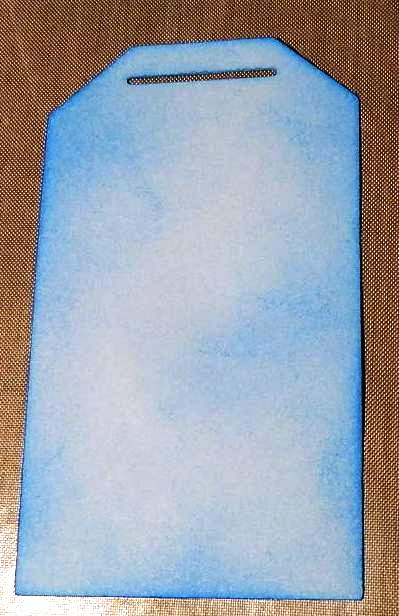
 Get the foam applicator, ink it up, and start adding ink to your paper! 
(This one is Salty Ocean from the Summer seasonal set, I ♥ the colors in this set)

You can keep adding more color until you get the look you like. 

You don't have to necessarily use one color, you can use as many as you like!  

 Technique 2:
Rub the ink pad on your craft sheet lightly. 

Then use your mini mister to spray some water.  

Just press your paper on it and use a heat tool to dry it up. 
You can keep adding colors until you're satisfied with the look of it.  

 Technique 3:
This is pretty much the same as technique one. Just add the colors you want on your tag. 
 Lightly splash water to create this blotchy look. 
I mean lightly, otherwise you'll get big blotches like this one. 
You can use a small brush, dip it in water, and create your blotches. 

 Extra:
Who says these inks are limited to paper?
Check these primas out! 

 I just inked them up with Vintage Photo Distress Ink. 

Here's the final look for a vintage look.  

P.S. 
You still have time to join this week's three eyelet challenge!
Check it out here

Cyndy
Related Posts Plugin for WordPress, Blogger...